
The Construction Photo App for Site Teams
Centralize site photo documentation across your team as well as recording location context, descriptions and #Tags. Ready for quickly creating photo reports using our customizable template.


Add the photo context your project needs
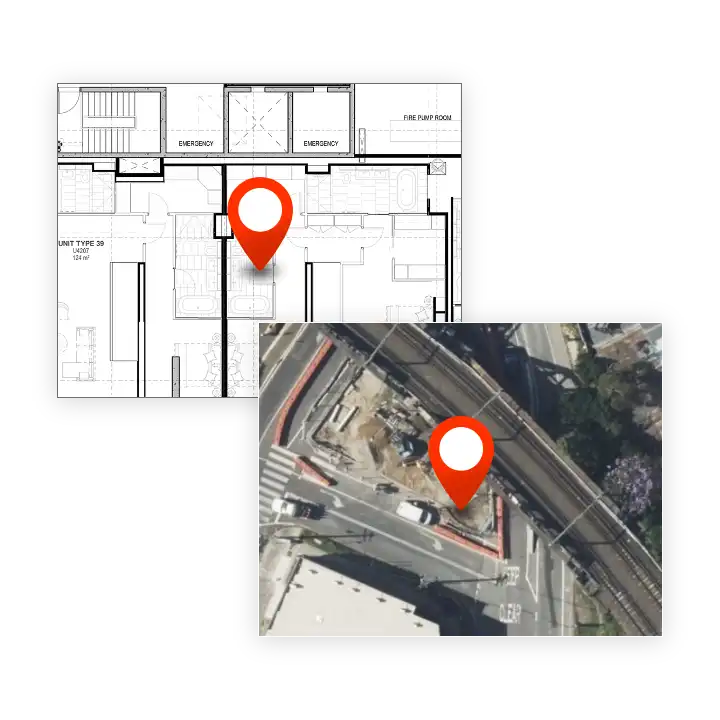
SiteCam is a construction photo app suited to both internal and external site applications. For vertical construction projects you can pin photos to their exact location on the floor plan for each level.
For outdoor or linear construction projects, SiteCam uses your phone GPS to show each photo’s location on the map.
Real-time access on any device
SiteCam is a cross-platform construction photo app, giving you access to your team’s organized site photos on your phone, and via our web app.
Login and see your team’s most recent photos from site. Less update phone calls and emails as the information is instantly available through SiteCam.
Smart filters = less scrolling
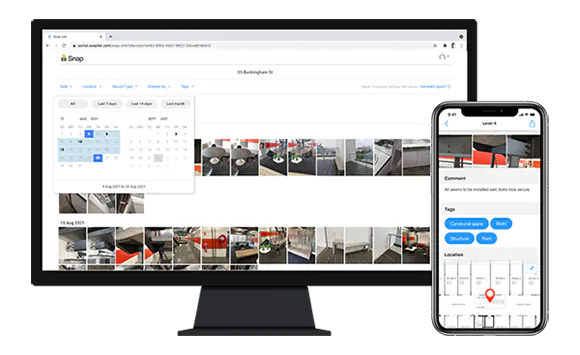
Photos in SiteCam are organized using Locations, Timestamps, #Tags, and more. This enables you to quickly filter to find the records you need. Less scrolling through your phone gallery and hunting through project folders on your computer. Save time with a searchable database of all your photographic evidence.

Photo reports before you even leave site
Generate professional reports without the hassle of transferring photos off your phone and battling with Word or Excel.
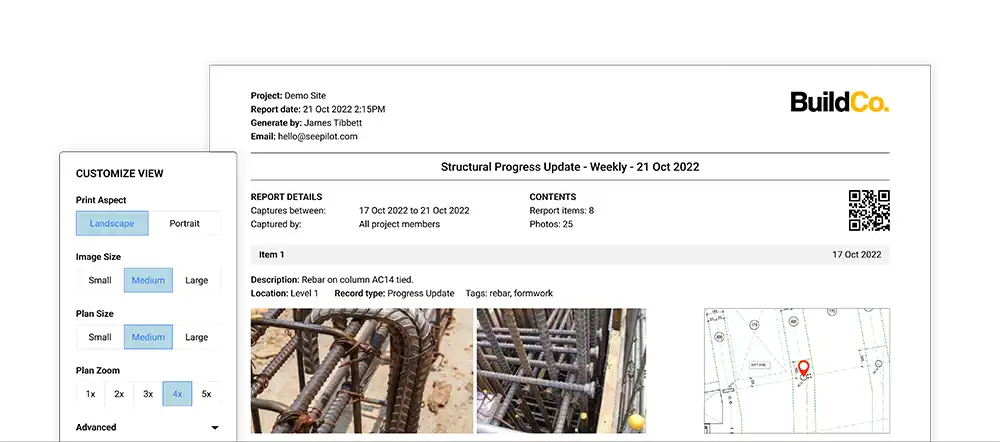
SiteCam is more than a construction photo app as it also enables you to convert site photos into a branded photo report in a few clicks. The customizable report template enables you to easily change image sizes, configure plan/map zoom level, and edit Item descriptions. Reports prominently display photo timestamps and markups for clear communication.
Do more in the field
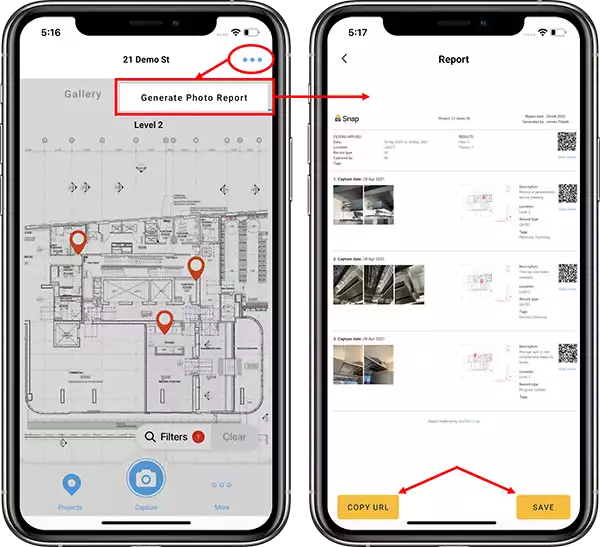
Our mobile-first approach gives you all the tools you need to be productive in the field. Log photos, mark-up key features, describe what needs to be done, all from your phone. Then generate photo reports directly from the mobile app whilst you’re still on site. SiteCam photo reports can easily be shared via a URL or saved as a PDF.
Report URLs allow you to share big reports, full of detailed photos, without the need to attach large files to emails.
Loved by people like you

“You can just invite people into a project and then boom, everyone’s on the same page at the same time.”
Jay Goh (Senior Engineer)
Cundall

“This app is fantastic for defect management and tracking.”
Daniel Mangan (Production and Logistics Manager)
Walker Precast

“So now I’ll just send them the link to the SiteCam plan and he views everything, he knows where the location is and it made my life a bit easier.”
Salah Hayba (Site Engineer)
Quality at Piety Group